















































JoomlaAruba.com · Practical guide
A Joomla backup is only useful if you can restore it

Define the recovery you need
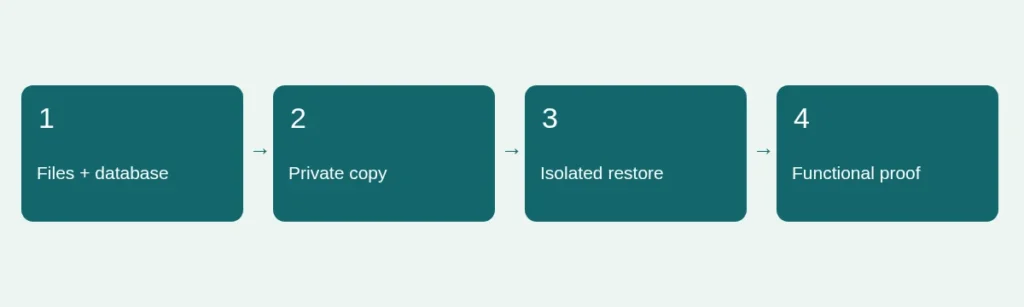
Start by asking what would have to be recovered after a failed update. A Joomla site depends on its files and database together; an image folder alone does not reproduce its content and configuration. Record which installation the backup covers and when it was taken. If visitors submit important data, agree how much recent activity the organization could afford to lose. A nightly archive and a backup immediately before maintenance solve different problems.
Keep the archive out of public reach
Store recovery material somewhere that is not a browsable public download directory. Backups can contain personal information, configuration secrets and historical content that is no longer public. Restrict access to authorized people and maintain a separate protected copy according to your organization’s policy. Do not post a backup archive in a forum or attach it to a general contact form. When support needs diagnostic information, provide the minimum relevant sanitized detail.
Prepare an isolated restore rehearsal
Follow the backup tool’s supported restoration instructions in a separate test environment. Confirm that the destination is genuinely separate before importing anything. Prevent that copy from delivering real emails, processing payments, publishing scheduled material or contacting production integrations. Use explicit service isolation rather than assuming a different hostname is sufficient. Protect private content on the test copy. The purpose is to establish recoverability without creating a second public copy of personal data.
Check more than the homepage
After restoration, sign in through the native administrator and inspect representative pages, menus, media and essential forms. Test a sample of old internal links and any downloads. If the site has multilingual pages or restricted content, include those paths. Record what could not be exercised because an external service was intentionally isolated. A successful archive extraction is one step; it is not evidence that the database and files describe the same working site.
Write an executable recovery note
Keep a concise private note naming the backup location, supported restore method, required access, target checks and the person authorized to make the decision. Include how you would recognize a successful recovery. Record the actual restore date and any warnings encountered. If a tool reports a missing dependency, resolve and rehearse it before relying on the backup during a time-critical incident. Avoid a recovery procedure that depends entirely on one person’s memory.
Reconnect this to regular maintenance
Repeat the rehearsal after significant hosting, database or backup-tool changes. Keep retention proportionate to the site’s needs and do not silently overwrite the only known-good copy. Before maintenance, verify that the current backup can be located and that the restore instructions still apply. The official Joomla migration guidance explicitly emphasizes checking that backups work. Use our maintenance checklist to connect the backup with change review and our migration plan for a larger move.
Sources and scope
Reviewed 4 November 2026. Independent planning guidance, not an official Joomla publication or a service guarantee. Verify the documentation for your own installed release before making changes.