















































JoomlaAruba.com · Practical guide
A practical Joomla maintenance review routine

Treat maintenance as a series of decisions
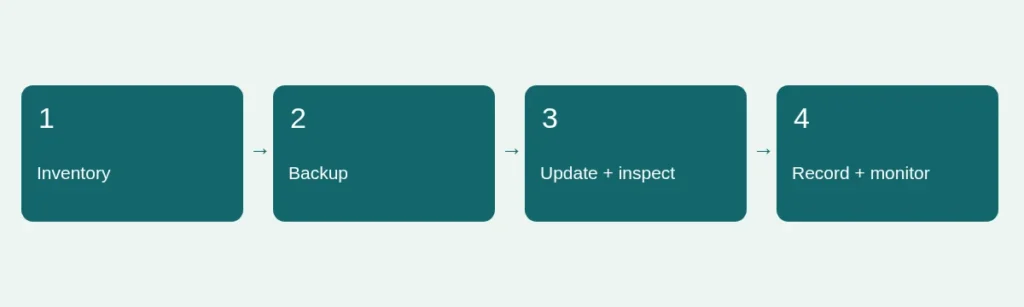
A useful maintenance routine is a short cycle of observation, preparation, change and verification. It is not a badge that makes a website permanently secure. Decide who owns the routine and where decisions are recorded. Include both the website’s technical state and whether its public information is still accurate. A perfectly rendered page with an obsolete contact route can fail its readers just as effectively as a broken template.
Review official and vendor notices
Check the Joomla Security Centre and the release information for the installed branch. Review extension and template vendors separately: a Joomla core update does not necessarily update third-party software. Record which notice applies to which installed component. Do not copy an alarming headline into a change request without comparing affected versions. Conversely, do not assume that an old but functioning site is safe because nobody has reported a problem to you.
Prepare the change before clicking update
Identify the exact site and version, take the appropriate backup and make sure its recovery path has been rehearsed. For significant changes, test on a separate copy with production services isolated. Review the native update component’s checks and investigate compatibility warnings rather than treating them as decoration. Avoid combining a template redesign, PHP change and multiple extension replacements into one untraceable operation. Smaller recorded changes make a failure easier to diagnose and reverse.
Review access and protective settings
Check whether former staff or suppliers still have access and whether current roles match their responsibilities. Use strong individual credentials and the supported multi-factor authentication options appropriate to the site. Review administrator recovery arrangements without publishing their details. The official security guide also covers browser security headers. These need deliberate testing: copying a strict policy from an unrelated website can block scripts, embeds or assets your own pages need. Do not weaken authentication to make a test pass.
Verify the visitor experience
After changes, inspect important pages as a logged-out visitor on desktop and phone. Exercise navigation, search, media and any authorized form test. Check the administrator’s system status and record remaining warnings. If a form shows a thank-you message, verify its actual storage or approved downstream delivery separately. Clear only relevant caches and recheck normal URLs, because a cache-busted page can look correct while visitors still receive an older version.
Close the loop honestly
Record what changed, what was tested, the result and the next unresolved action. A maintenance log should distinguish a completed update from an untested integration. Set the next review according to the importance of the site and the urgency of relevant notices; no universal calendar prevents every incident. If you suspect compromise, preserve evidence and involve an authorized specialist instead of repeatedly reinstalling packages over unknown changes. Read backup restore testing and version checks alongside this routine.
Sources and scope
Reviewed 4 November 2026. Independent planning guidance, not an official Joomla publication or a service guarantee. Verify the documentation for your own installed release before making changes.