















































JoomlaAruba.com · Practical guide
Evaluate a Joomla extension before installing it

State the job before choosing a package
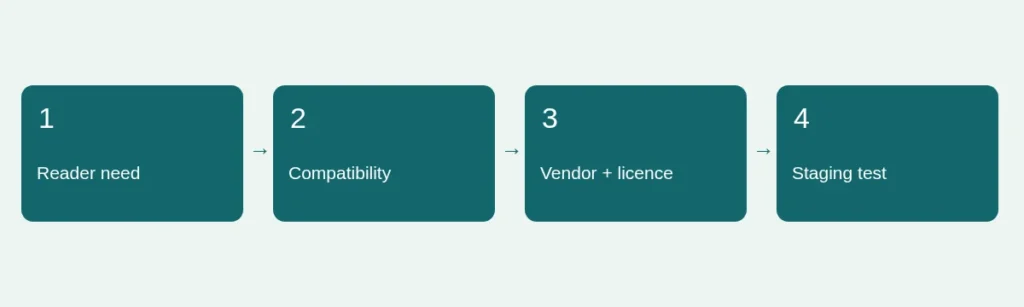
Describe the problem in reader terms. For example, visitors need to find articles by topic, not we need a powerful search suite. Check whether Joomla’s existing features and your current template can solve the problem. Every additional component brings maintenance and compatibility responsibilities. This does not mean extensions are inherently bad; it means the feature should justify the work of owning another dependency.
Use official discovery, then verify the vendor
The Joomla Extensions Directory is a starting point for finding packages. Review the actual vendor’s documentation, supported releases, update history and support terms before deciding. Directory categories or reviews do not certify that an extension fits your installation. Be careful with similarly named download sites. Obtain software from its authorized source rather than from a redistributed premium package whose contents and update path you cannot verify.
Create a small compatibility record
Write down the intended extension version, your Joomla version, PHP environment, active template and other components it integrates with. Ask how the extension receives updates and whether a subscription is required for future downloads or support. A free initial download and a maintainable long-term solution are different propositions. Do not enter somebody else’s licence key to test entitlement. If the vendor’s compatibility statement is unclear, resolve the question before using the package on a critical site.
Inspect the data and permission implications
Determine what information the extension stores, which roles can access it and whether it sends data to another service. A form, analytics or payment component may introduce obligations beyond displaying a page. Check export and removal behaviour so you understand what happens if the tool is replaced. Avoid testing with real customer records when synthetic data answers the same question. Include a clear consent decision when a feature would collect marketing information.
Test a narrow scenario on a separate copy
Take a recoverable backup and use a properly isolated test installation. Reproduce the actual reader task on desktop and mobile, then inspect keyboard use, labels, validation, errors and native permissions. Check both a valid action and a failure path. A successful installation notice proves only that WordPress or Joomla accepted a package—not that your website’s workflow now works. Verify the correct platform and package type before installing anything; Joomla extensions are not WordPress plugins.
Decide with an exit plan
Keep the extension if it solves the defined task, has a supportable update path and passes the checks that matter to your site. Record gaps explicitly. If it is rejected, remove only the temporary records you created and preserve existing business data. Know how content would be exported or represented if you later change tools. See our migration considerations for dependency mapping and maintenance guidance for keeping the decision current.
Sources and scope
Reviewed 4 November 2026. Independent planning guidance, not an official Joomla publication or a service guarantee. Verify the documentation for your own installed release before making changes.