















































JoomlaAruba.com · Practical guide
Plan a Joomla migration around content and recovery

Choose the outcome, not just a newer number
A migration should preserve the useful jobs your site performs while moving it to a supportable environment. Start with the reason for the move: an unsupported dependency, a new publishing workflow or a hosting constraint. Avoid treating every old page as disposable or assuming that a full rebuild is automatically simpler. A small website can have important old links, downloadable documents and forms whose value is invisible in a homepage screenshot.
Inventory what must survive
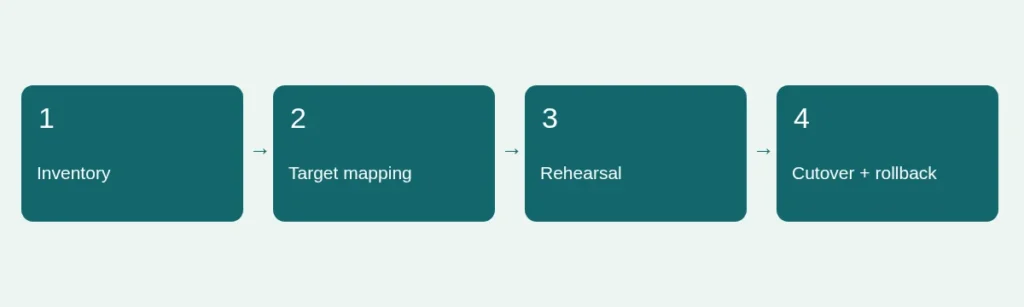
List representative content types, categories, menus, media, languages, forms, access rules and external integrations. Record the existing public URLs for important pages and downloads. Note who owns each integration and how its credentials are stored, without copying secrets into the project report. Distinguish genuine content from cached files and demonstration records. If the site includes personal data, decide which authorized records should move and what legal or operational retention rules apply.
Follow the route for the installed version
Use the official migration guide that corresponds to the actual starting version. Major-version moves can depend on extension and template compatibility, and older installations may require intermediate work. Do not assume a modern update package can replace every historical version directly. The Joomla migration index provides separate routes. Confirm the target release and environment requirements from primary sources; an old tutorial may describe a different sequence or a now-unmaintained tool.
Build a target map and rehearse it
Create a mapping from old content and URLs to their intended destinations. Mark whether each item will be preserved, revised, redirected or deliberately retired. Test the plan on a separate copy with production mail, payments and scheduled publishing isolated. Use a small representative set first, including a difficult page and a restricted workflow, before scaling up. If the target is another platform, test how its categories, permissions and media behave rather than assuming a one-to-one translation.
Make rollback a concrete decision
Agree on the point at which the team would pause or reverse the cutover, who can authorize it and which backup would be used. Consider changes made by visitors during the migration window; restoring an earlier database can lose new submissions. Keep a final capture and reconciliation plan proportionate to the site. Rehearse restoration, not just export. Document any planned DNS or email work separately so a content migration does not accidentally change unrelated services.
Accept the result through real journeys
Compare old and new URLs, navigation, images, search and authorized forms. Test mobile layouts and anonymous access as well as administrator screens. Inspect canonical URLs, sitemap entries and redirects; a successful import count is not proof of a usable public website. Keep unresolved integration and delivery tests explicit. After cutover, monitor the paths that mattered in your inventory. Our backup rehearsal guide and extension evaluation checklist help turn this plan into reviewable steps.
Sources and scope
Reviewed 4 November 2026. Independent planning guidance, not an official Joomla publication or a service guarantee. Verify the documentation for your own installed release before making changes.